

Less office.
More outdoors.

Your crew finishes the work. Your billing keeps moving. Meet the landscaping platform with a private assistant you can text.

✓
Another lawn, done.Crew confirmed · Davis property
Recorded
READY FOR YOUR REVIEW
Work done. Billing ready.
Confirmed visits → draft invoice
One connected workday.
Service records✳Monthly billing✳Owner texting✳Receipt capture
ONE CONNECTED WORKDAY

Great work.
Less work afterward.

From the first lawn to the last invoice.
Keep your business moving.

01 / SERVICE RECORDS

Finish the lawn.
Keep the proof.

Crews confirm each visit from their phone or iPad. Photos, notes, and GPS evidence stay with the property—even when the day takes you offline.

✓
Davis propertyLawn maintenance · Crew confirmed
Complete

02 / MONTHLY BILLING

Your work adds up.
So do your invoices.

Confirmed visits and approved extras flow into a monthly draft. Check the details, make changes, and decide when it’s ready to send.

Davis property · Draft invoice4 lawn visits + mulch extra
$390Ready for review
03 / RECEIPTS & EXPENSES

Out of your pocket.
Into your records.

Send a receipt photo from the truck. scapr prepares a draft expense and helps connect it to the right property. You confirm the details.

▤
Garden supply · $86.42Receipt attached · Davis property
Draft
04 / YOUR PRIVATE ASSISTANT

A whole office.
One conversation.

Find a customer’s invoice, add a note, or arrange a quote visit through ordinary text messages. The same records. Wherever you’re working.

Pull up the invoice for 42 Franklin Ave.Found it. Davis property · $390 draft.Ready for your review.
Try a conversation ↗
05 / PAYMENTS & FOLLOW-UP

Keep the payments moving.
Get your evening back.

Secure payment links, authorized autopay, and routine reminders help keep billing on track. Questions and disputes stay with a person.

↗
The next step is covered.Invoice sent · Payment link included
YOU DIDN’T START A BUSINESS TO DO PAPERWORK

The workday should end
when the work does.

But there’s still a receipt in the truck, a visit to remember, and a stack of invoices waiting at home. scapr is being built to keep those details moving while you’re out doing what you do best.

FROM THE LAST LAWN TO THE LAST INVOICE

A good day.
All the way through.

Field work and office work,
finally in the same conversation.

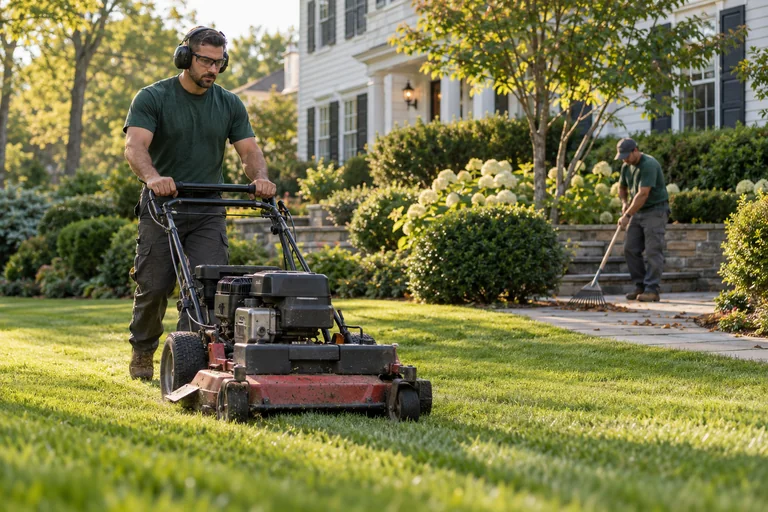
Illustration of a landscaping crew tending a residential property
Service confirmed ✓
01 / RECORD THE WORK

The crew wraps up.

Crews confirm each visit from their phone or truck’s iPad. GPS supports the record. Offline updates sync when service returns.

MONTHLY INVOICEDraft

Davis property

42 Franklin Avenue

4 confirmed lawn visits$240.00
Approved mulch extra$150.00
Total$390.00
✓ Ready for owner review
02 / REVIEW THE DETAILS

The billing takes shape.

Confirmed work and approved extras become invoice drafts. Review, edit, or hold an invoice before it goes out.

✓

Paid. And recorded.

One less thing to follow up on.

Secure payment linksAuthorized autopay
03 / KEEP PAYMENTS MOVING

The follow-up follows through.

Secure links, authorized autopay, and routine reminders keep billing moving. Questions and disputes stay with a person.

YOUR PRIVATE TEXT ASSISTANT

Got a minute?
Get it handled.

Text an address. Send a receipt. Ask for a quote appointment. Your assistant uses the same records as your dashboard, so the details end up where they belong.

⌑ For you and your authorized owners.
Not a customer-facing chatbot.
9:41
▮▮▮ ▰
‹
s
scaprYour private assistant
A HOME FOR THE WHOLE BUSINESS

Same records.
Every way you work.

A quick text in the field.
A clear view when you sit down.

● ● ●scapr / your workspace

Know what’s done, what’s due, and what needs your decision.

Illustration of a landscaping owner checking a phone in a parked work truck
BUILT AROUND REAL WORK

Software that
meets you
where you are.

You don’t need another system to babysit. You need the small things taken care of—and a clear say in the big things.

Text first. Details when you need them.Handle quick tasks by text. Open the web dashboard for deeper review.
Your business. Your decisions.Confirm changes, review drafts, and hold anything that needs a second look.
Real records behind every answer.Customers, properties, visits, invoices, and expenses stay connected.
WE HELP YOU GET GOING

A fresh start.
Not a blank slate.

Bring your customers and the way you work.
We’ll help put the pieces together.

01

Bring your business.

Walk through your customers, properties, service prices, and current billing process.

02

Make it yours.

Configure your service plans, import records, connect payments, and introduce the crew.

03

Review the first run.

Check a real billing cycle together. Turn on more automation when you’re ready.

A FEW GOOD QUESTIONS

Let’s clear
things up.

Who is scapr for?+

Small residential landscaping and maintenance businesses, especially owners with 1–5 trucks who work in the field and handle the office themselves. Recurring work and monthly billing are the starting focus.

Does my crew need an app?+

Yes. The planned crew app runs on a phone or cellular iPad for route lists, service confirmations, photos, offline capture, and permitted background GPS. Owners can use ordinary SMS/MMS for supported tasks and the web dashboard for detailed review.

Does GPS automatically bill a customer?+

No. GPS supports arrival and departure records; it does not prove a lawn was serviced. A crew member confirms completion or an owner resolves the exception before work is eligible for per-visit billing.

Can my customers text the AI assistant?+

No. The assistant is private to authorized owners. Customers use secure invoice and payment links. Billing questions, complaints, and disputes are handled by a person.

What happens when I text a receipt?+

The planned assistant extracts the vendor, date, and amount into a draft expense with the original image attached. You can confirm the details and property. An expense never automatically becomes a customer charge.

Is scapr available now? What does it cost?+

scapr is in early-access development. Features, pricing, setup, and payment-processing costs are confirmed before enrollment.

Do I need to switch everything at once?+

Setup starts with your existing customer records and a review of your billing process. Migration and the pilot’s scope are agreed first. Payroll, full accounting, route optimization, and quote pricing are outside the planned MVP.

YOUR NEXT CHAPTER, WITH LESS PAPERWORK

Build a business.
Get your evenings back.

Start with one crew. One workflow. And a little more breathing room.

LET’S START WITH YOUR WORKDAY

Your business.
Your setup.

Create a personalized setup checklist for your business and download it to your device.